Calling Rust from Flutter with flutter_rust_bridge
Flutter is a good way to build a UI and an awkward way to do CPU-heavy work. Rust is the opposite. flutter_rust_bridge wires the two together: you write plain Rust, run a codegen step, and call it from Dart with real types instead of hand-rolled byte buffers.
This post is a tour of that boundary. The running example is a small app I built to exercise it, a Hacker News reader whose Rust core fetches each linked page, extracts a clean article, and hands Flutter a structured document to render.
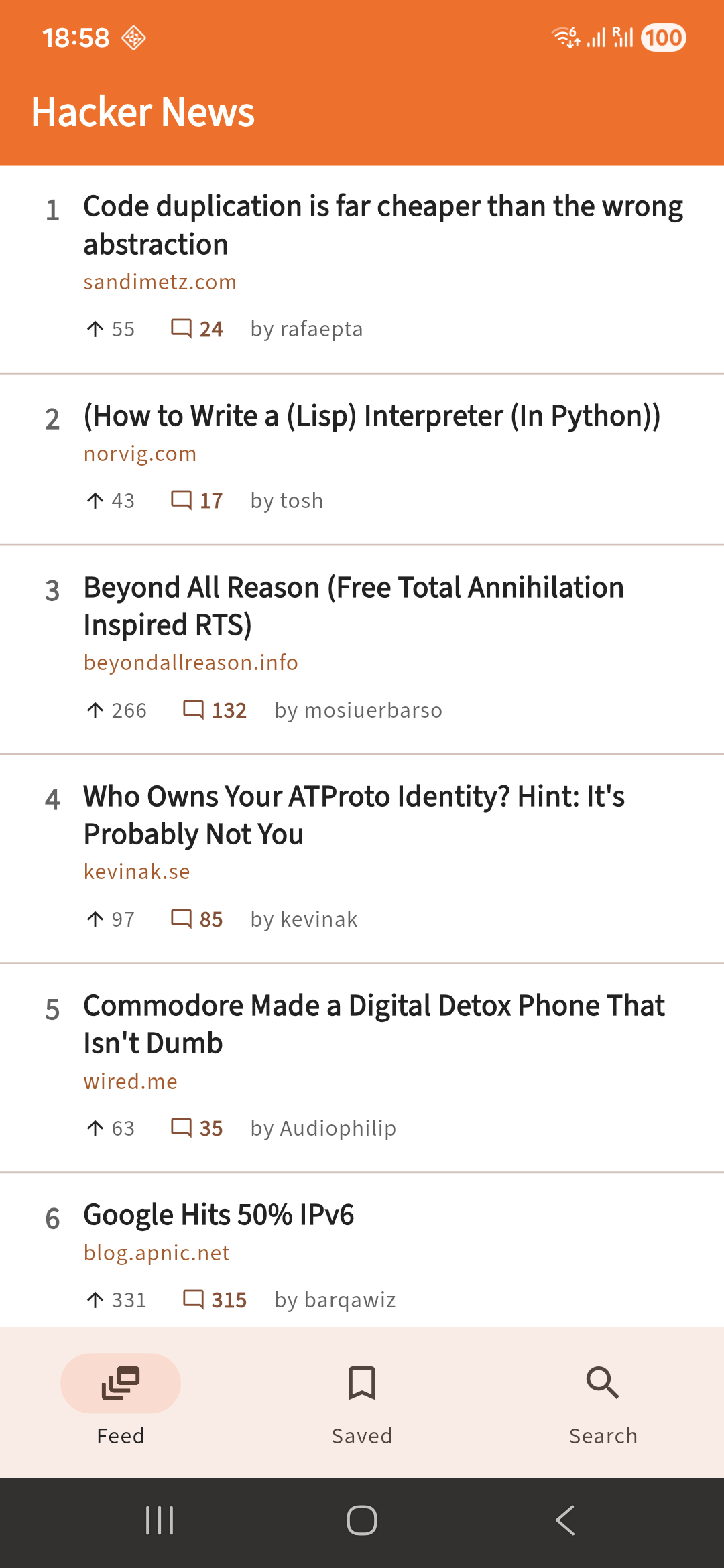
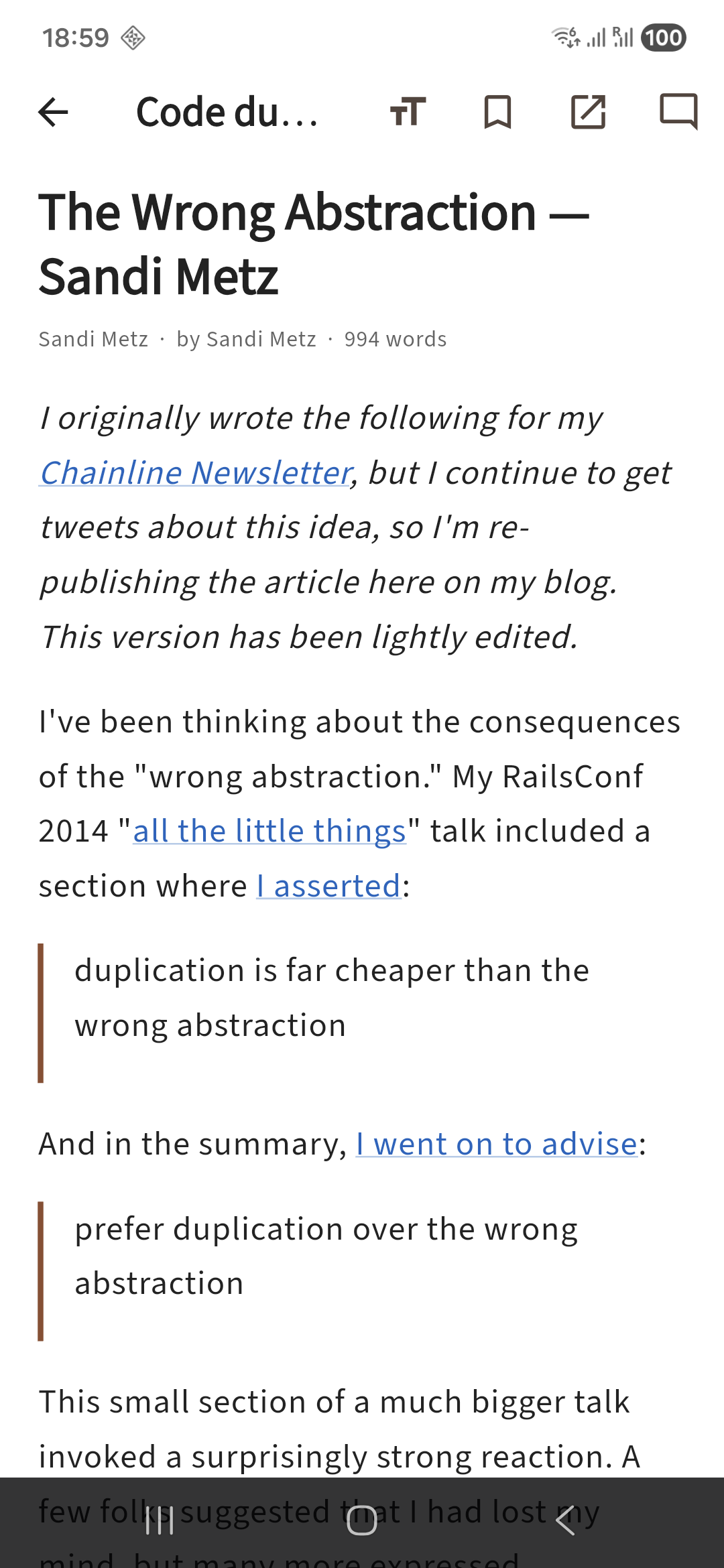

Three things cross that boundary: data, calls, and streams. First, the glue that makes them feel ordinary.
From Dart, the Rust core is just an object
Initialize the bridge once at startup, build the core, then call it like any Dart class. flutter_rust_bridge (FRB from here on) turns each Rust function into a Dart method.
Future<void> main() async {
  WidgetsFlutterBinding.ensureInitialized();
  await RustLib.init();
  final dir = await getApplicationDocumentsDirectory();
  final engine = ReaderEngine(dbPath: '${dir.path}/hn_cache.db');
  final settings = ReaderSettings(await SharedPreferences.getInstance());
  runApp(HnReaderApp(engine: engine, settings: settings));
}
engine is a handle to a live Rust object. It owns one HTTP client and one SQLite connection, built once and reused for every call. Every screen holds it and calls methods on it.
/// One HTTP client + one SQLite cache, constructed once and reused across every call.
/// Dart holds this as an auto-opaque `Arc<RwLock<ReaderEngine>>`.
pub struct ReaderEngine {
    client: reqwest::Client,
    db: Mutex<rusqlite::Connection>,
}

impl ReaderEngine {
    /// Open the engine. Pass `":memory:"` for an ephemeral cache, or a file path
    /// (e.g. the app documents dir) for a persistent one.
    #[frb(sync)]
    pub fn new(db_path: String) -> anyhow::Result<ReaderEngine> {
What those methods look like is the rest of the post: the data they pass, whether they run sync or async, and how a stream delivers many results.
Data: Rust types become Dart types
Methods pass typed values, not bytes or JSON. Declare a type in Rust and the bindings give you an equivalent Dart class, fields and all. The reader’s payload is a document model, a tree of blocks and inline spans, so the UI never touches HTML.
/// An inline span inside a block. Recursion is via `Vec`, which heap-allocates,
/// so no explicit `Box` is needed.
#[derive(Debug, Clone)]
pub enum Inline {
    Text(String),
    Bold(Vec<Inline>),
    Italic(Vec<Inline>),
    Code(String),
    Link { href: String, spans: Vec<Inline> },
}

/// One item of a list. Wrapped in a named struct so the Dart side gets a real type
/// instead of a nested `List<List<Block>>`.
#[derive(Debug, Clone)]
pub struct ListItem {
    pub blocks: Vec<Block>,
}

/// A top-level block in the normalized article.
#[derive(Debug, Clone)]
pub enum Block {
    Heading { level: u8, spans: Vec<Inline> },
    Paragraph { spans: Vec<Inline> },
    Image {
        src: String,
        alt: Option<String>,
        caption: Option<String>,
    },
    Code {
        lang: Option<String>,
        text: String,
    },
    Quote { blocks: Vec<Block> },
    List { ordered: bool, items: Vec<ListItem> },
}
A fragment of article becomes a tree of these nodes. A block holds inline spans, and a list’s items are themselves blocks, so it nests both ways.
An enum with data is the interesting case. FRB turns it into a Dart sealed class, one subclass per variant.
Each variant becomes a named Dart class, Block_Heading and friends, carrying the same fields.
sealed class Block with _$Block {
  const Block._();

  const factory Block.heading({
    required int level,
    required List<Inline> spans,
  }) = Block_Heading;
  // … Block_Paragraph, Block_Image, Block_Code, Block_Quote, Block_List
}
The UI renders these with one exhaustive switch, the only place article styling lives. Add a variant in Rust, rerun flutter_rust_bridge_codegen generate, and the switch stops compiling until you handle it.
Widget renderBlock(
  Block block, {
  required TextStyle body,
  required ThemeData theme,
  required List<TapGestureRecognizer> recognizers,
  TexParserSettings mathSettings = const TexParserSettings(),
  void Function(String href)? onLink,
}) {
  // Links need to stay legible on both backgrounds: a brighter blue on dark.
  final linkColor = theme.brightness == Brightness.dark
      ? const Color(0xFF7AA9FF)
      : const Color(0xFF1565C0);
  switch (block) {
    case Block_Heading(:final level, :final spans):
      final style = (level <= 2
              ? theme.textTheme.titleLarge
              : theme.textTheme.titleMedium)!
          .copyWith(height: 1.3);
      return Padding(
        padding: const EdgeInsets.only(top: 22, bottom: 6),
        child: Text.rich(renderSpans(
            spans, style, recognizers, linkColor, mathSettings, onLink)),
      );
    case Block_Paragraph(:final spans):
      return Padding(
        padding: const EdgeInsets.only(bottom: 16),
        child: Text.rich(renderSpans(
            spans, body, recognizers, linkColor, mathSettings, onLink)),
      );
    // Image, Code, Quote, List follow the same shape...
  }
}
The same enums model failure. A fetch returns ContentKind, not an Article, so PDFs, video, and paywalls are named cases the UI must handle, not blank screens.
/// The result of routing a Hacker News link. Most links are articles; the long tail
/// (PDFs, video, SPAs, paywalls) routes to a fallback the Flutter side handles.
#[derive(Debug, Clone)]
pub enum ContentKind {
    Article(Article),
    Pdf { url: String },
    Video { url: String },
    External { url: String, reason: String },
    Failed { url: String, reason: String },
}
Calls: sync or async
By default a method is async. A pub async fn runs on a Rust worker thread, off the UI isolate, and returns a Dart Future. Use it for anything that does real work, like fetching and parsing a page, which must never block the UI.
/// Fetch a Hacker News link and return a normalized reading document,
/// or a fallback route (PDF / video / external / failed).
pub async fn fetch_article(&self, url: String) -> ContentKind {
    extract::fetch_and_extract(&self.client, &self.db, &url).await
}
From Dart it is a plain await.
Future<void> openStory(
    BuildContext context, ReaderEngine engine, Story s) async {
  showDialog(
    context: context,
    barrierDismissible: false,
    builder: (_) => const Center(child: CircularProgressIndicator()),
  );
  final ContentKind kind =
      s.url != null ? await engine.fetchArticle(url: s.url!) : _localKind(engine, s);
  if (!context.mounted) return;
Navigator.of(context).pop(); // dismiss loader#[frb(sync)] method returns inline on the Dart isolate, for cheap work with no I/O. A normal method runs on a Rust worker thread and hands back a Future, so the UI thread never blocks.The exception is #[frb(sync)], which runs inline on the UI isolate and returns the value directly, no Future. That is why the ReaderEngine constructor earlier needed no await. Keep it for cheap, non-blocking work, like a one-row “is this bookmarked” lookup. Anything that can block belongs on a worker thread.
Streams: many values over time
For results that arrive over time, a Rust function takes a StreamSink<T> and Dart receives a Stream<T>. The reader prefetches the top articles when the feed loads and reports each as it lands.
/// Warm the cache for a batch of URLs, emitting an event as each one completes.
/// This is the background-prefetch spike: the sink keeps delivering after the
/// call returns control to Dart.
pub async fn prefetch(
    &self,
    urls: Vec<String>,
    sink: StreamSink<PrefetchEvent>,
) -> anyhow::Result<()> {
    let total = urls.len() as u32;
    for (i, url) in urls.into_iter().enumerate() {
        let kind = extract::fetch_and_extract(&self.client, &self.db, &url).await;
        let ok = matches!(kind, ContentKind::Article(_));
        let _ = sink.add(PrefetchEvent {
            index: i as u32,
            total,
            url,
            ok,
        });
    }
    Ok(())
}
The call returns at once and the sink keeps delivering after. On the Dart side it is a Stream you listen to.
prefetch once and gets control straight back. The sink keeps delivering aPrefetchEvent per URL afterward, which Dart consumes as an ordinary Stream./// Warm the article cache for stories that have a link, so taps are instant.
void _startPrefetch(List<Story> stories) {
final urls = [
for (final s in stories)
if (s.url != null) s.url!,
];
if (urls.isEmpty) return;
widget.engine.prefetch(urls: urls).listen((_) {}, onError: (_) {});
}By the time you tap a story, its page is already cached, so the reader opens instantly and works offline.
What the typed model buys you
Typed data, a long-lived handle, and a stream cover most of what you need to put a Rust core under a Flutter app. And the typed model keeps paying off. Every feature after the first reading view was the same move: add a case to the Rust enum and a branch to the renderer.
Comments came for free, HTML fragments parsed into the same Block list and drawn by the same renderer, so the threaded comments up top needed no UI code of their own. Math is detected from raw LaTeX and typeset by the renderer. Images flow through as Block::Image with a pinch-to-zoom viewer. None of it touched the boundary.
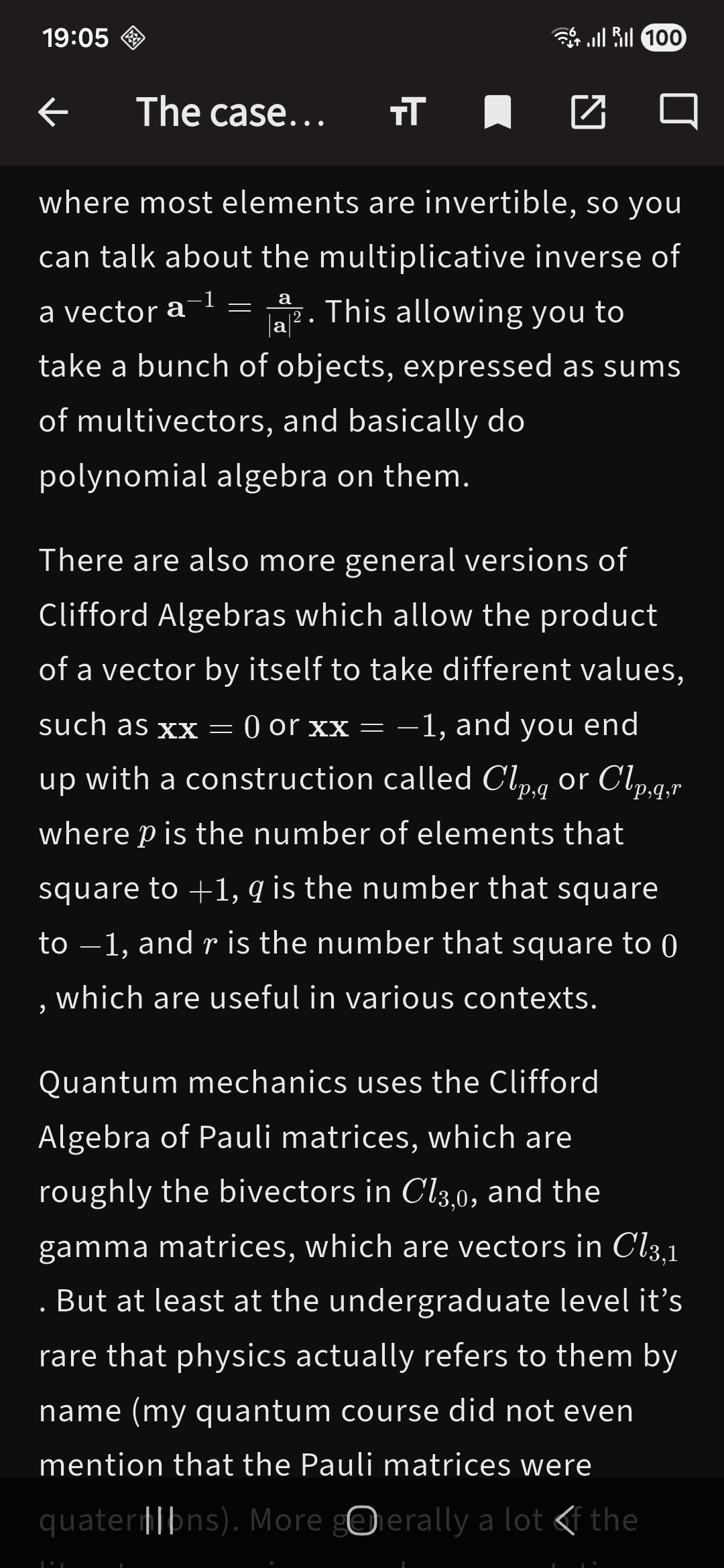
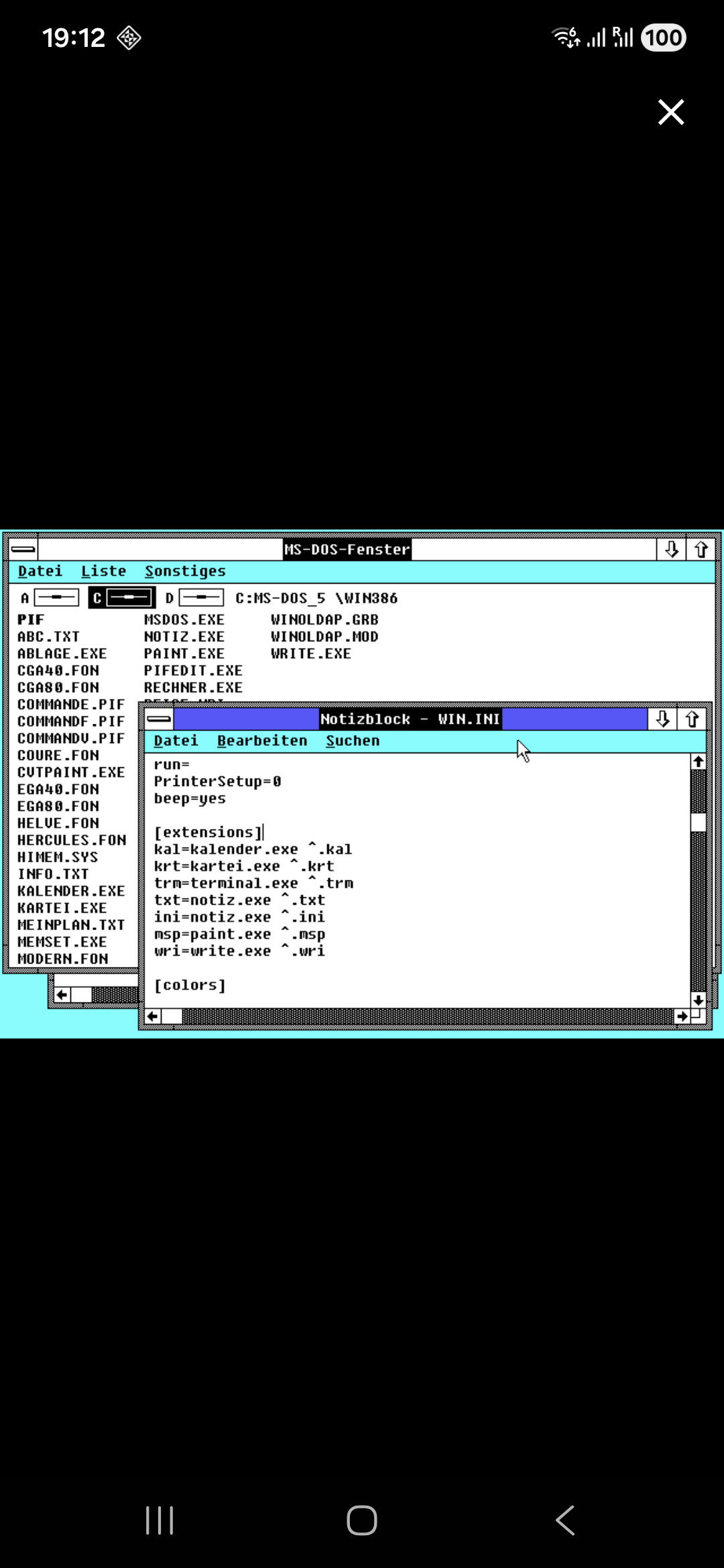
Block case plus a branch in the one renderer.One caveat: editing the Rust API means rerunning codegen and a full app restart. There is no hot reload across the bridge.
The full code is at github.com/filipkunc/hn_reader.